What is a golink?
I was setting up tailscale within my cluster when I stumbled upon what seemed to be a mini side project - https://github.com/tailscale/golink. After reading into it for a minute, I was sold; having seen similar examples before, I loved the idea that this was possible for my own homelab. And it is!
Golinks are essentially configurable aliases, combined with bookmarks, combined with DNS to make every machine using said DNS able to access aliased destination links by typing go/{alias} within their browser with no clientside configuration. Cloud bookmarks, without needing to sync! Some examples:
- go/kb -> Kibana
- go/prom -> Promethus
- go/drui -> Docker Registry UI
- go/hn -> HackerNews
Making otherwise hard-to-remember or complicated URLs trivially easy to configure.
Results
Within an hour of exploration, I got this up and running in my Kubernetes cluster (running ghcr.io/tailscale/golink); with the magic of MagicDNS, http://go/ within my tailnet became a trivial way to shortcut any link I wanted!
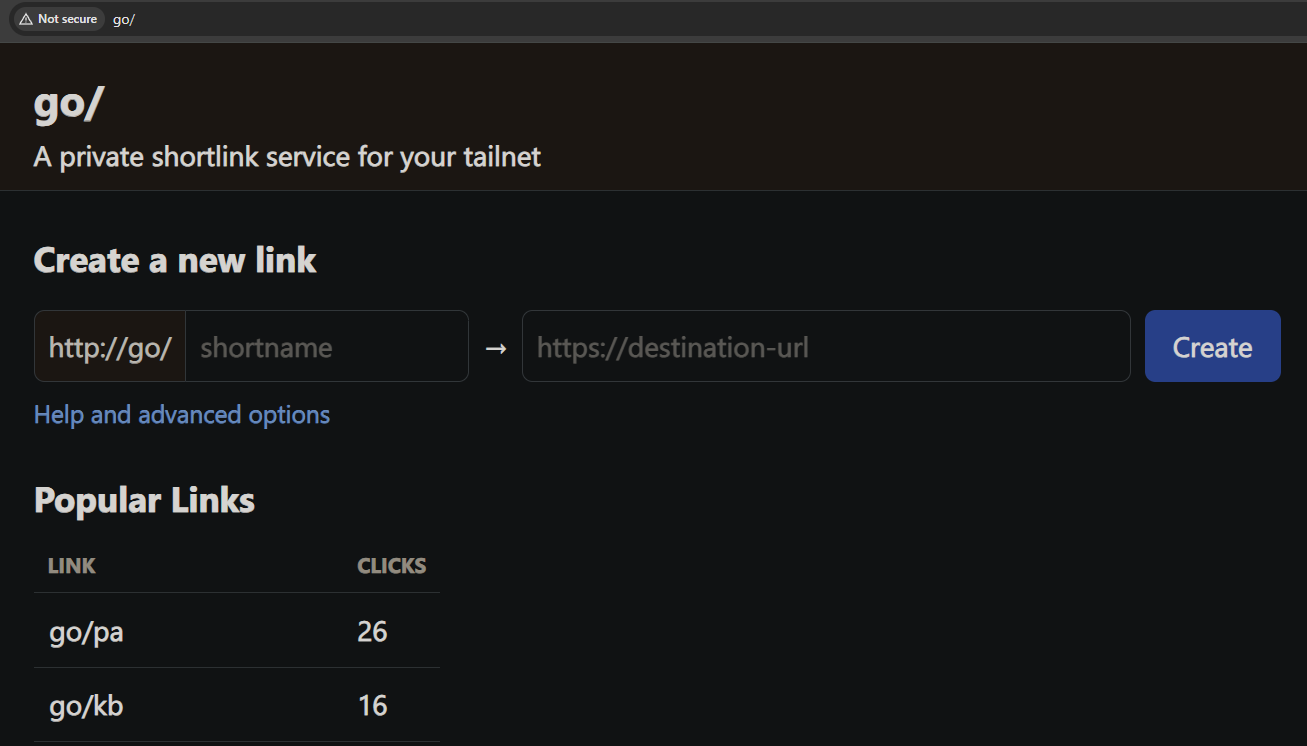
Importantly - golinks at go/ only work with HTTP, because any tailscale (LetsEncrypt)-provisioned SSL certificate will be for my tailnet (go.*.ts.net) - this will cause MagicDNS via https://go/ to fail hostname validation. This isn't much of an issue within tailnet as intra-Tailnet traffic is encrypted.
Now I can access any link with a trivial 'go/...' on any machine within my tailnet :-)